Control Menu
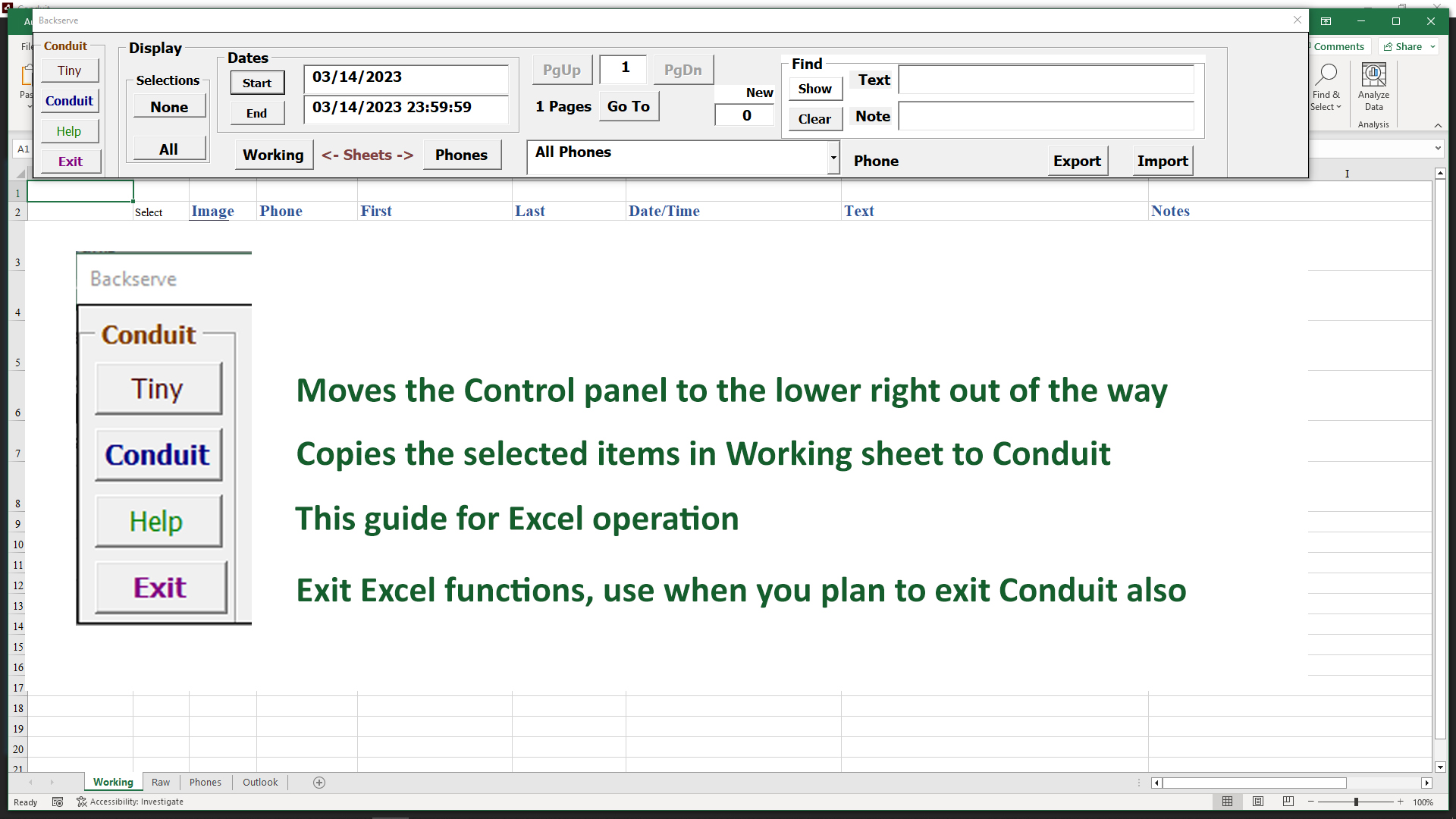
As shown, the different important functions appear on the left side of the Control Menu.
Use the Conduit button to go back to the MMS Conduit, whether there are messages selected or not in your Working sheet.
Only use the Exit button when you are also going to Exit the Conduit as well. In most cases you can use the Exit from Conduit and it will save your work in the Excel workbook.
Tiny Control Menu
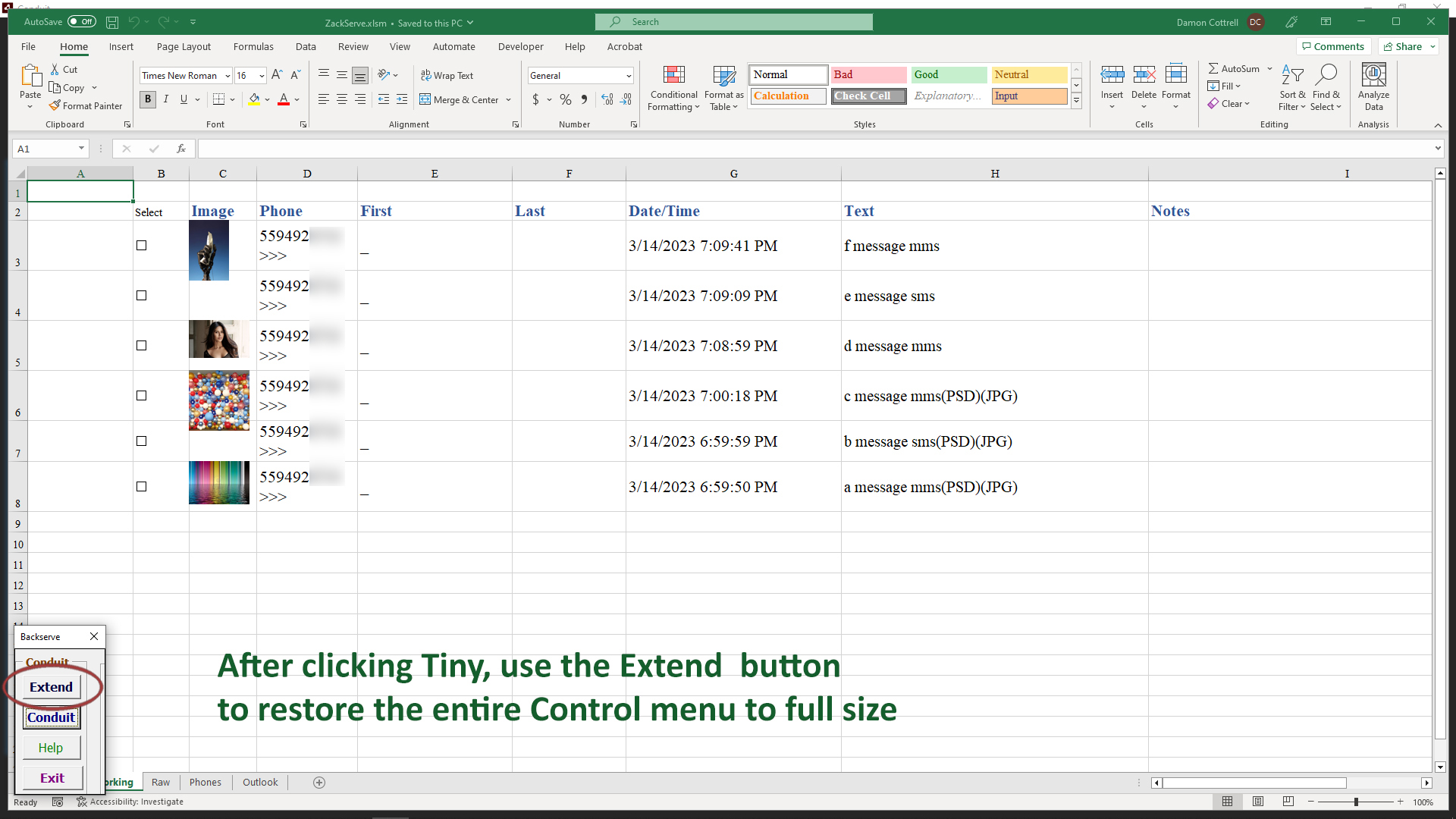
When you click the Tiny button, the Control menu is moved out of the way of the Working sheet entries until the Control options are needed.
When you click the Extend button, the entire range of options returns for you to select the messages you wish to work with at any time.
The intent of the Control panel options is to free you from the need to manually filter through messages, the Working sheet is the 'playground' for this organized way of finding messages and working with your clients and associates.
Message Counter
All messages are absorbed by Excel into the Raw sheet, whether you have it open or not. The count of messages will increase. Any time you use the Excel button in Conduit to get to the Excel workbook, the count will change as it adds entries into the Raw sheet.
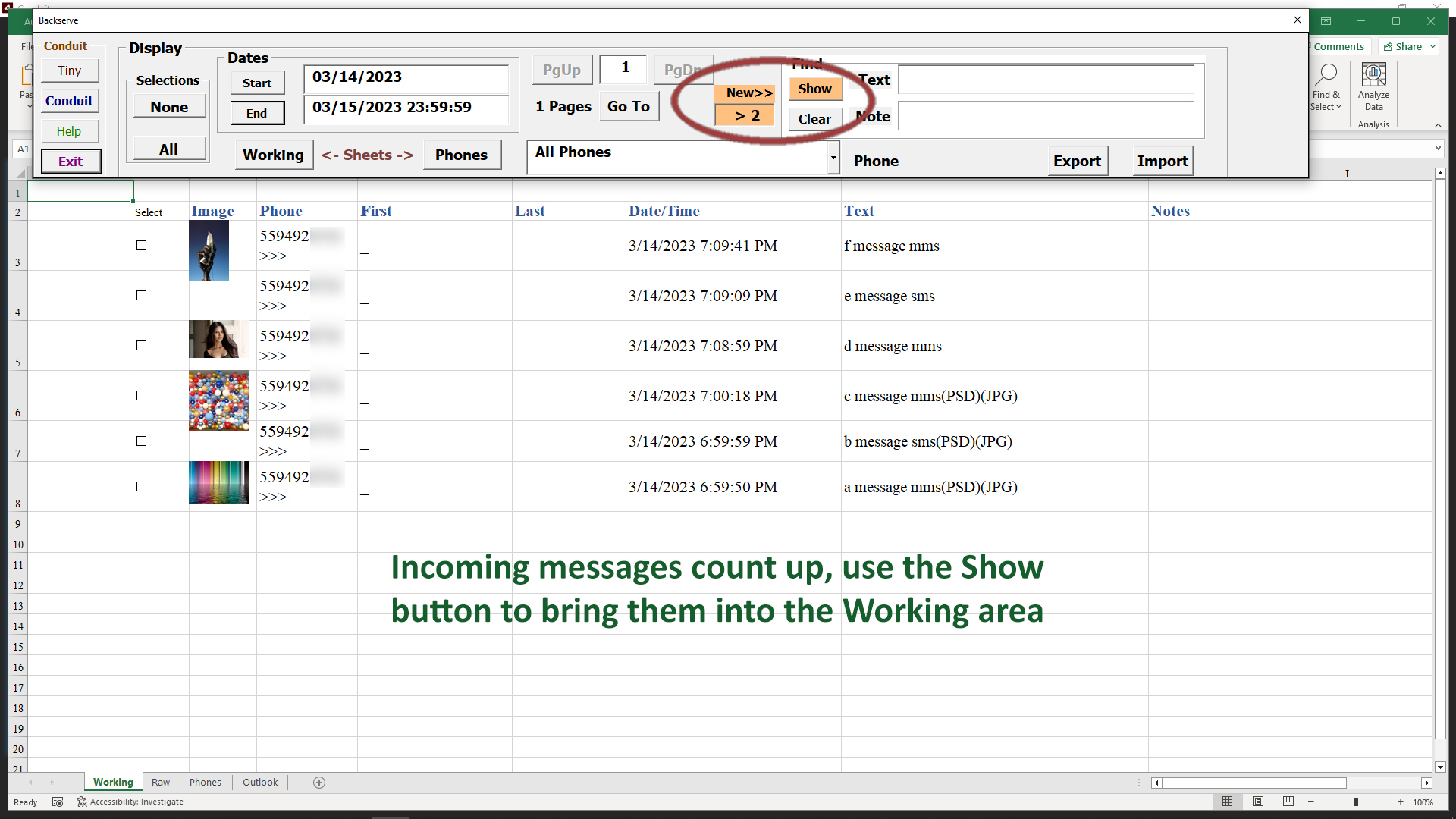
You never need to work with the Raw sheet directly, the Control menu will give you easier control and access to the raw messages.