Pages in Working Range
When you select messages by date or any other criteria in Excel, the Working sheet only shows 10 entries at a time. Pages of 10 entries are created to allow easier navigation and selection of images.
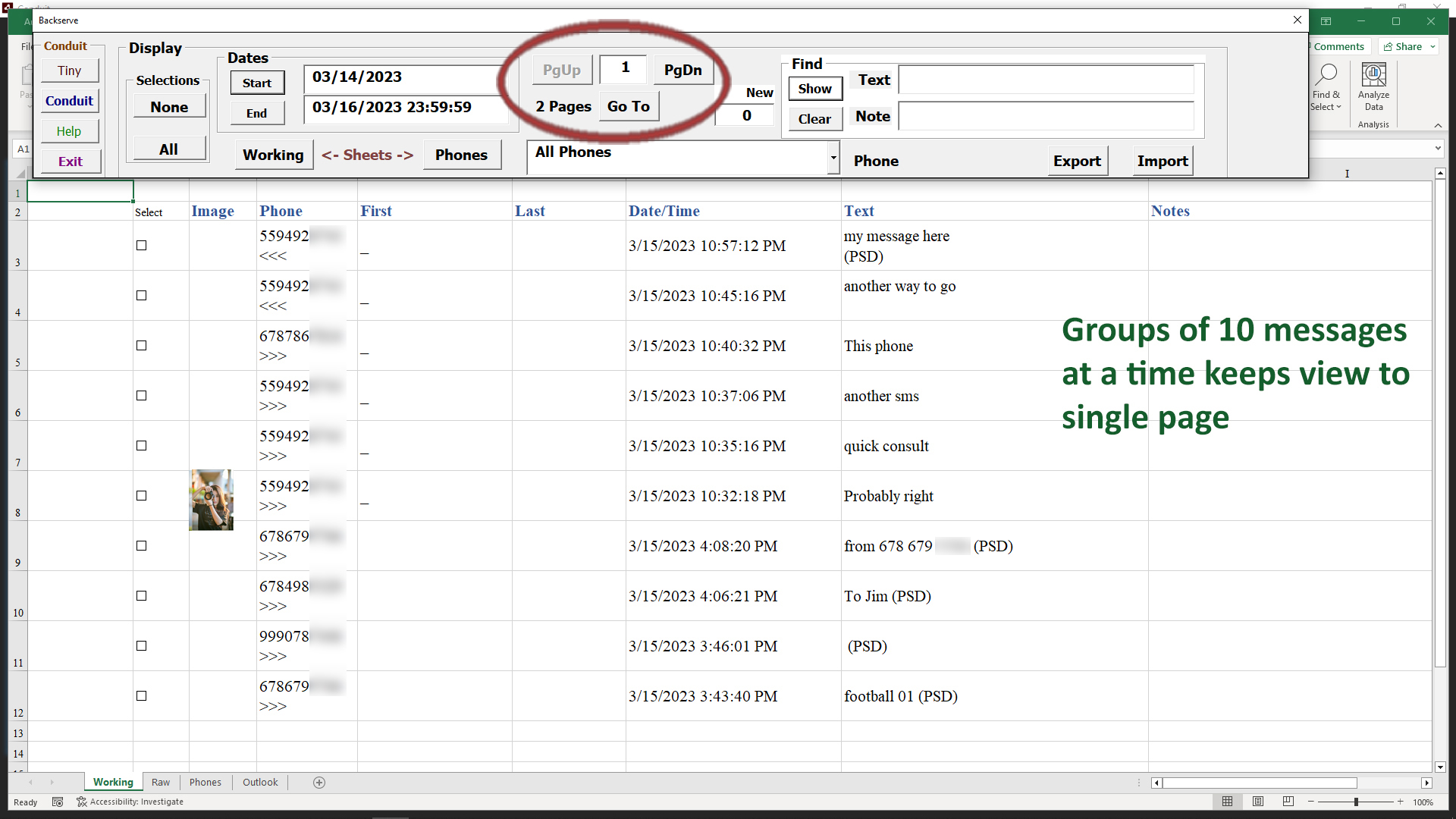
The group of buttons for moving through pages consists of
PgUp - for listing more recent messages
PgDn - for listing earlier messages
Page # - shows current page
Pages - shows how many pages total
Go To - takes you to a page entered in the Page # field
By entering a page number in the Page # field and clicking Go To, you can move directly to a specific page of the total range of pages.
If there are many pages, it may help to change your criteria, using a smaller date range will reduce the number of pages.
Choosing a specific phone number in the drop-down list will narrow the number of message pages to just that phone number.
Seeking a specific keyword in the message text will also greatly reduce the number of pages.
When you select messages with checkboxes, they can only be selected in the current page. Select the messages you wish to work with and click the Conduit button to further edit/send messages from the ones selected.
When you return to Excel, you will still be at the current page of messages so you are able to continue select and working with messages in the proper order.